

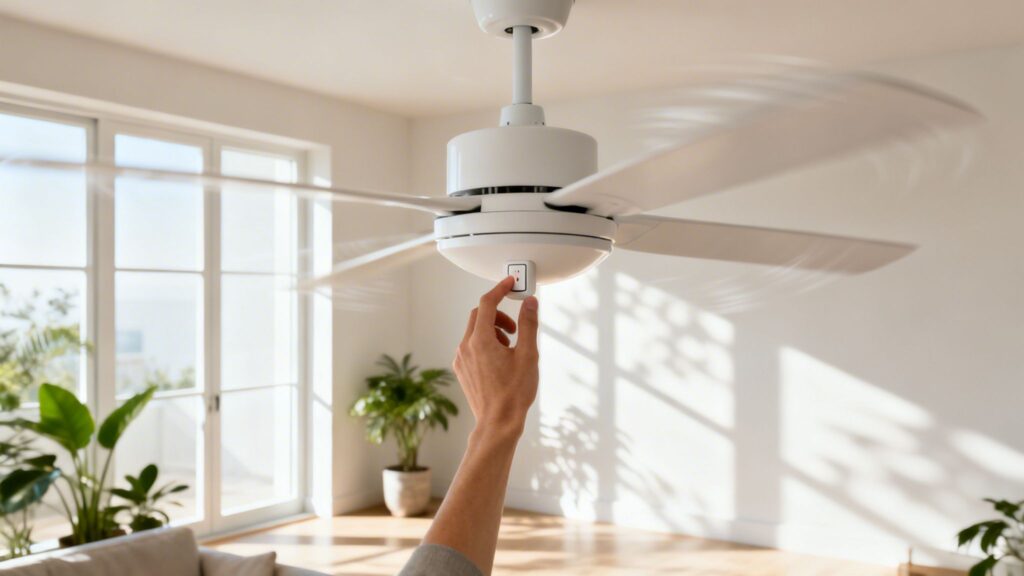
When the summer heat really starts to set in, one of the simplest tricks to feel cooler is right above your head. For your ceiling fan to provide that welcome relief, you need to make sure its blades are spinning counter-clockwise. This creates a direct downdraft, which is what gives you that refreshing breeze.
It's a small detail, but it makes all the difference.
Why Your Fan’s Spin Direction Is a Game-Changer

You might not think the direction your fan blades spin matters much, but it's the key to whether you're getting a cool breeze or just pushing warm air around the room. The secret lies in a principle we've all experienced: the wind-chill effect.
When a fan's blades are angled and spinning counter-clockwise, they push air straight down. As this column of air moves over your skin, it helps your sweat evaporate faster. That evaporation is what makes you feel cooler, even though the fan isn't actually lowering the room's temperature like an air conditioner does.
The Simple Science of Cooling Down
Think about a nice breeze on a hot, still day. The air temperature hasn't dropped, but the moving air provides instant relief. Your ceiling fan is designed to do the exact same thing indoors. Getting that airflow right is fundamental, especially if you live somewhere with brutal summers.
I’ve spent time in places with relentless heat, and trust me, getting the fan direction right is non-negotiable.
In scorching climates like the Phoenix Valley in Arizona, having your fans spin counter-clockwise creates a wind-chill effect that can make the room feel up to 7-10°F cooler. This lets you nudge up the thermostat a few degrees without feeling any less comfortable.
This tiny adjustment isn't just about comfort—it's about saving money. The International Energy Agency (IEA) has noted that using fans correctly can cut U.S. household electricity costs by $50 to $100 annually. When your fan is doing its job, your AC unit doesn't have to work nearly as hard. If you're interested in the data, you can explore more on these findings about home efficiency.
To help you remember the right settings throughout the year, here's a quick reference table.
Seasonal Fan Settings At a Glance
| Season | Fan Direction | Airflow | Primary Benefit |
|---|---|---|---|
| Summer | Counter-Clockwise | Downward | Creates a direct, cooling breeze (wind-chill effect). |
| Winter | Clockwise | Upward | Gently circulates warm air pooled near the ceiling. |
This table makes it easy to see how a quick flip of a switch can change your fan's function from season to season.
Of course, this cooling strategy works best when the rest of your home is also ready for the heat. Your fan is just circulating the air already in the room, so it helps to keep unwanted heat out in the first place. Consider a couple of quick maintenance checks:
- Clean Your Windows: It sounds basic, but grimy windows can absorb and trap more solar heat, making your room warmer and forcing your fan and AC to work overtime.
- Check for Drafts: Poorly sealed doors and windows can let hot air sneak in, completely undermining all your cooling efforts.
By pairing the correct fan direction with a well-sealed home, you’re creating a surprisingly effective system to beat the summer heat and keep your energy bills in check.
Here’s a quick-and-dirty guide to getting your fan ready for summer. It’s one of the easiest home maintenance tasks you can do, and the payoff in comfort is immediate.
First things first: safety. Before you get on a ladder or even touch the fan, kill the power. The easiest way is to flip the wall switch that controls the fan. If multiple switches control the fan and light, flip them all off. For good measure, you can also shut it off at the circuit breaker. Just wait for the blades to come to a complete stop.
The Old-School Toggle Switch
Got your step ladder ready? Most fans have a tiny switch on the motor housing—that's the round, central unit the blades are attached to. You’re going to have to get up close and personal to find it.
Look for a small, simple toggle switch. It’s usually black or white and blends in, so you might need to wipe away a bit of dust to see it. Simply flick it to the opposite position. If it was up, push it down. If it was on the left, slide it to the right. That’s all it takes.
Using a Modern Remote or Wall Control
If you have a newer fan, you can probably skip the ladder altogether. Many modern fans come with a remote control or a sophisticated wall panel that handles the direction change electronically.
Scan the buttons for one that shows circulating arrows or simply says "Reverse" or "Direction." Sometimes it's a secondary function, meaning you might have to press and hold the fan button for a few seconds to activate it.
A Pro's Insight: If you've just moved into a home with a remote-controlled fan and can't find the reverse button, don't give up. Some models hide this function. A quick search for the fan's brand and model number online will usually pull up a manual showing you exactly how it works.
How to Know You Got It Right
Now for the moment of truth. Turn the power back on and start the fan on a low setting.
The easiest way to check your work is to simply stand directly underneath the fan. You should feel a pleasant, cool breeze blowing down on you. If you don't feel anything, the air is likely being pulled upward—that's the winter setting.
For a definitive visual confirmation, I love the "tissue test." Grab a single piece of Kleenex and hold it up by the corner, just below the spinning blades. If the fan is set for summer, the tissue will be pushed away and downward. If it gets gently sucked up toward the ceiling, you're still in reverse.
Pairing Your Fan with Your AC for Maximum Savings
So, your fan is spinning counter-clockwise and pushing air down. Great. But the real win comes when you pair that simple change with your air conditioner to see some serious savings on your next energy bill.
The breeze from your fan creates a wind-chill effect, making your skin feel cooler than the actual room temperature. This is your secret weapon. Because you feel cooler, you can comfortably nudge your thermostat up a few notches. In my experience, most people can raise the AC setting by 4 to 6 degrees and not even notice the difference—except on their utility bill. Your air conditioner runs less, and you save more. It's that simple.
Optimizing Your Fan Speed
It's tempting to just crank the fan to high and forget it, but matching the speed to the situation is far more effective.
Low to Medium Speed: This is my go-to for all-day use. If you're working from home or just hanging out, a gentle, steady airflow is all you need to stay comfortable without feeling like you're in a wind tunnel.
High Speed: Save this for a quick cool-down. Just walked in from the sweltering heat? The room feels stuffy and stagnant? A few minutes on high will circulate the air and provide immediate relief. Then, you can dial it back down.
This visual guide is a handy reference for getting the direction right, whether you have a remote or an old-school switch.

No matter how you change the setting, always double-check that you can feel the air moving downward before you walk away.
A Quick Reality Check: Fans cool people, not rooms. An empty room with a running fan is just wasting electricity. Get in the habit of turning it off when you leave—just like you would with the lights.
Getting the direction of fan in summer right is a surprisingly powerful move for energy efficiency. That counter-clockwise spin creates a downdraft of 200-400 feet per minute, which can make you feel up to 8°F cooler. On a scorching Phoenix afternoon, that simple setting can slash your AC-related costs by 10-20%.
Want to take it a step further? This strategy is even more effective when your windows are clean. Grimy windows trap more solar heat, but clean glass can reduce the solar heat gain coefficient (SHGC) by 0.1-0.2. Less heat getting in means your AC and fan have less work to do. As you can see from the latest cleaning industry analysis, the link between home maintenance and energy efficiency is becoming a major focus.
The Surprising Link Between Fan Efficiency and Clean Windows
Believe it or not, the state of your windows has a direct impact on how well your ceiling fan cools your room. You’ve already done the hard part by making sure the direction of fan in summer is correct (counter-clockwise!), but that fan is only circulating the air that's already in the space. If the sun is baking your windows, the air your fan is moving will be warmer, and your AC will have to fight an uphill battle.
Think about it: a layer of dust, grime, or hard water spots on your window glass doesn't just cloud the view. It actually traps solar heat. That trapped energy then radiates right into your room, forcing your cooling system to work overtime. The smartest way to beat the heat isn't just dealing with it once it's inside—it's stopping it from getting in at all.
Your First Line of Defense Against Solar Heat
This is where professionally cleaned windows and solar screens act as your home’s frontline defense. By letting less solar radiation pass through, they stop a huge amount of heat before it ever has a chance to warm up your living space.
But the benefits don't stop at temperature. A fan spinning in a room with dusty sills and dirty screens is an expert at kicking all that dust, pollen, and other gunk into the air you're breathing. Suddenly, that "refreshing" breeze is just an allergy-fest waiting to happen. Clean windows, sills, and screens mean the air your fan circulates is genuinely cleaner and healthier.
When your ceiling fan spins counter-clockwise in the summer, it pushes air downward, which is great for preventing hot spots near large windows. But this trick is supercharged by clean glass. Dirty windows can increase solar heat gain by 10-15%, which seriously undermines your fan's cooling effect.
When you pair the right fan direction with sparkling clean windows, you create a powerful one-two punch for efficiency. Studies have even shown that a counter-clockwise fan direction can reduce the amount of airborne particles that settle on windows by 25-40%, helping them stay cleaner, longer. You can discover more about how clean glass impacts energy costs and see the data for yourself. It’s a simple synergy where clean windows help your fan work better, and your fan helps your windows stay clean.
Simple Maintenance for Better Fan Performance

Even with the blades spinning in the right direction, a dirty or wobbly fan just isn't doing you any favors. It’s more than an eyesore; it’s an inefficient machine that can end up just kicking allergens around the room. A few minutes of simple upkeep can make all the difference.
Think about it—a thick layer of dust on your fan blades creates drag, disrupting the airflow and forcing the motor to work harder. This is especially true if you live in a dusty area. Every time you flip that switch, you’re just circulating dust mites and pollen. Thankfully, there’s an easy fix that doesn't make a huge mess.
The Pillowcase Trick for Clean Blades
Here’s my favorite no-mess cleaning hack, especially for those fans that have been neglected for a little too long.
- First, grab an old pillowcase you don't mind getting dirty.
- Carefully slide it over one of the fan blades, so the blade is completely inside.
- Using both hands, gently press on the fabric and slide the pillowcase back toward you.
The best part? All that caked-on dust and grime gets trapped inside the pillowcase instead of raining down on your floor and furniture. Just take the pillowcase outside, shake it out, and toss it in the wash.
A wobbly fan is more than just an annoying sound—it's a sign that the fan is off-balance, which can cause the motor to wear out prematurely. Before you start thinking about a costly replacement, check that all the blade screws are tightened securely at the base. This simple check solves the problem 90% of the time.
Common Questions About Fan Direction and Cooling
Even after you get the spin direction right for summer, a few lingering questions always seem to surface. Let's tackle some of the most common ones so you can get the most out of your fans and your energy bill.
One of the biggest mistakes I see people make is leaving a fan running in an empty room, thinking it’s pre-cooling the space for them. The truth? It’s a total waste of electricity. Absolutely. Fans cool people through the wind-chill effect, not by actually lowering the room's temperature. If nobody's there to feel the breeze, you're just paying to spin blades.
Do Box Fans and Pedestal Fans Have Directions?
This brings up a good point about portable fans, like your trusty box fan or an oscillating pedestal fan. These don't have a reverse switch; their job is always to push air forward. So, how do you use them effectively? It’s all about placement.
Instead of just pointing the fan directly at yourself (though that certainly feels good), think strategically. You can create a powerful cross-breeze to flush hot air out of your home.
- Place one fan in a window or doorway, facing into the room to pull in cooler, fresh air.
- Position a second fan near another window on the opposite side of the house, facing out, to push the hot, stale air outside.
This simple setup can make a massive difference, especially in the evenings when the outside air is cooler than the air trapped inside your home.
With a ceiling fan creating that nice downdraft, you can give your air conditioner a much-needed break. You can typically raise your thermostat by 4 to 6 degrees and feel just as comfortable. This is where you’ll see incredible savings on your energy bill, as your AC unit won’t have to work nearly as hard.
Remember, the goal of a summer fan is direct airflow. It's a personal cooling device, not a room cooler. This simple distinction is the key to using fans efficiently and saving money.